


Small Business AI Search Visibility: How to Help Customers Find You
Updated: Sep 1
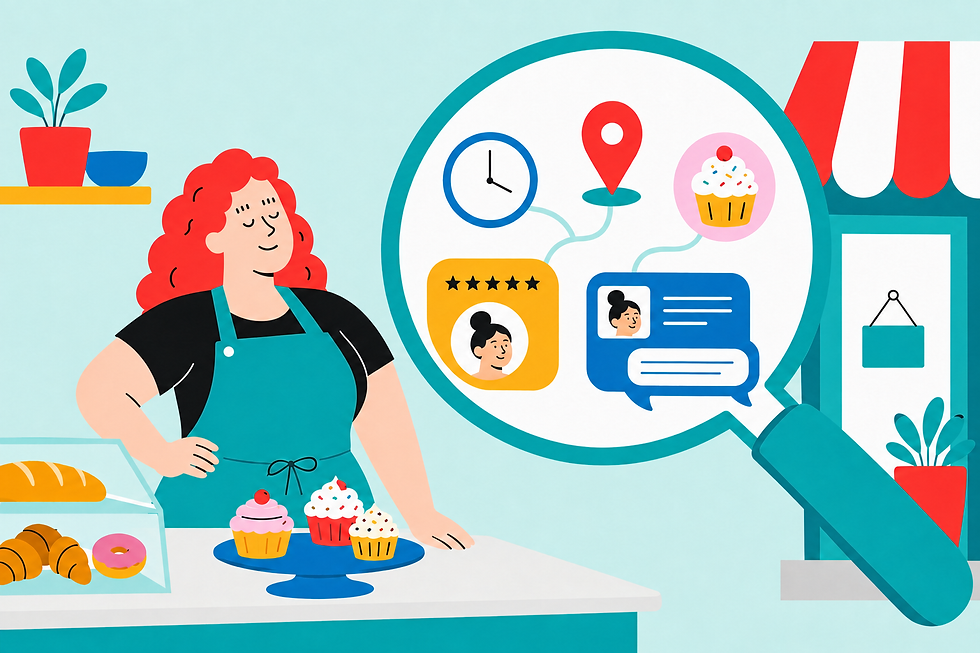
Customers aren’t only typing “bakery near me” or “best plumber in Detroit” into Google anymore. Now they’re asking AI tools complete questions like:
“Where can I order a custom birthday cake with Sunday pickup?”
“Which local electrician has good reviews and serves my neighborhood?”
“Who offers natural hair appointments after 5 p.m.?”
And just like that, small business owners have one more piece of technology they’re expected to understand while answering emails, serving customers, tracking down an invoice, and wondering who walked away with the good scissors.
Bestie, we know you have enough going on.
The good news is that improving your small business AI search visibility doesn’t require a brand-new website, a giant marketing budget, or a secret meeting with the internet wizards.
AI tools look for information that's clear, consistent, and trustworthy. Your customers want the same thing. When your hours, location, services, prices, policies, and contact information are easy to find, you’re helping real people and the technology they use to find you.
Let’s make that easier.
Why Small Business AI Search Visibility Matters
Large companies have entire teams making sure their websites, business listings, reviews, service pages, and public information stay updated.
Meanwhile, you might be updating your Google Business Profile from your phone while eating lunch over the sink.
Your approach has to fit real small business life.
AI is becoming another way customers discover businesses, but people still use Google, Maps, reviews, websites, social media, and other sources to double-check what they find. AI search hasn’t replaced the basics. It's made getting the basics right even more important.
If your website says you close at 6 p.m., Google says 8 p.m., and Instagram says “hours may vary,” customers are left doing detective work.
Nobody wants a scavenger hunt when they’re trying to order cupcakes.
AI tools can also have trouble confidently recommending a business when the information they find is missing, confusing, or inconsistent.
You can’t control every answer an AI tool gives. Let’s release ourselves from that unnecessary stress right now. What you can do is make accurate information about your business easier to find, understand, and confirm.
The Clear-and-Check Method for Small Business AI Search Visibility

You don’t need to fix your entire online presence in one dramatic weekend. Start with the page or business listing your customers use most, then work through the rest when you have time.
Step 1: Fix Your Essential Business Information
Start with the information a customer needs before they can visit, call, order, or book:
Your correct business name
Your address or service area
Your phone number and email address
Your current hours
Your main products or services
Your booking, ordering, or contact link
Your delivery, pickup, appointment, or accessibility information
Compare these details across your website, Google Business Profile, Bing Places, Facebook, Instagram, Yelp, and any industry directories you use.
If the information doesn’t match, correct the details that could keep someone from doing business with you first.
Wrong Sunday hours matter more than whether every sentence on your About page is perfect. Handle the money-blocking problem before you start polishing commas.
Your action: Update one important business listing today.
Step 2: Answer the Questions Customers Actually Ask
People talk to AI tools differently than they use traditional search engines.
Instead of searching for “Detroit caterer,” someone might ask, “Which Detroit caterers offer vegetarian options and deliver for events with fewer than 50 guests?”
Your website should answer the questions customers ask before they buy.
A caterer might answer:
Do you offer vegetarian or vegan options?
How far in advance should I book?
Is delivery available?
What is the minimum order?
Which areas do you serve?
A tax preparer might answer:
Do you work with self-employed clients?
What documents should I bring?
Do you offer virtual appointments?
How is your pricing determined?
Can you help with past-due returns?
Add these answers where they naturally belong. That could be an FAQ, service page, product description, booking page, or Google Business Profile.
Write like a person. “Virtual appointments are available on Tuesdays and Thursdays” is much more useful than “Flexible solutions are available to meet your needs.”
Real talk: “flexible solutions” could mean almost anything.
Your action: Add clear answers to the three questions customers ask you most often.
Step 3: Show Specific Proof That Builds Trust
Clear information helps customers understand your business. Specific proof helps them trust it.
Useful trust signals include:
Recent customer reviews
Photos of your actual products, work, location, or team
Verifiable licenses, credentials, awards, or memberships
A clear service area
Specific products, services, or specialties
A short owner or company bio
Customer policies written in plain language
Mentions from trusted media or community organizations
The key word here is specific.
“Serving Oakland County since 2018” is more helpful than “We have years of experience.”
“Licensed Michigan residential builder” says more than “Trusted professional.”
“Wheelchair-accessible entrance with parking beside the main door” is more useful than “Accessibility accommodations available.”
You don’t have to turn your website into a digital trophy case. Give customers enough real information to understand why they can trust you.
Your action: Add one specific, verifiable trust detail to your website or primary business profile.
Step 4: Check What Customers Can Find
Search for your business as if you didn’t already know it existed.
Try searches and questions like:
“Who offers [service] in [city]?”
“Where can I buy [product] near [neighborhood]?”
“Which [type of business] offers [important feature]?”
“Is [business name] open on Sundays?”
“Does [business name] deliver to [location]?”
Check Google, Maps, and one AI tool you already use.
Treat the results as clues, not a final grade. AI tools can give incomplete or incorrect answers, so verify everything before changing your public information.
If something important is missing, fix the original source.
If your service area is unclear, update your website and business listings. If your specialty is missing, add a clear sentence to the appropriate service page. If the wrong hours keep appearing, check every major place where those hours are published.
Then give the updates time to appear.
Checking again every 20 minutes will not make the internet move faster. Rude, but true.
Your action: Find one missing or confusing detail, fix it at the source, and check it again in a few weeks.
5 Free AI Prompts for Small Business AI Search Visibility

Before using these prompts, gather public information you already control, like:
Your homepage text
Your service or product descriptions
Your public business listings
Your FAQ
Your About page
Questions customers regularly ask
Only use information you would be comfortable publishing publicly. Remove customer information, employee records, account numbers, private financial information, legal documents, health information, passwords, and proprietary business details.
AI does not need access to your whole business life to tell you that your store hours are confusing.
Prompt 1: Find Missing Business Information
Act as a small business website clarity reviewer. I run a [TYPE OF BUSINESS] serving [LOCATION OR CUSTOMER TYPE].

Review the public business information I paste below. Identify which essential details are clear, missing, inconsistent, or difficult to find.

Check the business name, location or service area, hours, contact information, primary products or services, booking or ordering process, pricing expectations, accessibility information, and important customer policies.

Do not invent facts or assume that missing information is true.

Return a table with these columns:

1. Information Needed
2. What the Content Says
3. Problem or Gap
4. Suggested Fix

After the table, ask me up to three questions that would help improve the information.

[PASTE PUBLIC CONTENT]
Prompt 2: Turn Customer Questions Into an FAQ
Act as a customer experience writer for a [TYPE OF BUSINESS].

My customers are usually [BRIEF CUSTOMER DESCRIPTION]. My main products or services are [LIST].

Below are questions customers regularly ask.

Group similar questions and draft a helpful FAQ in friendly, everyday language at approximately an eighth-grade reading level. Keep each answer between 40 and 80 words.

Do not invent policies, prices, promises, timelines, or guarantees. Mark anything I need to confirm with [CONFIRM DETAILS].

Return the five most useful questions first. Then provide a list of missing details I should confirm before publishing.

[PASTE CUSTOMER QUESTIONS AND KNOWN ANSWERS]
Prompt 3: Make a Service Page Easier to Understand
Act as a plain-language editor who helps customers understand small business services.

Review the service page below for a [TYPE OF BUSINESS] serving [LOCATION].

Keep my meaning and brand voice, but make the page clearer about:

- Who the service is for
- What is included
- What happens after someone contacts or books
- Location or service area limits
- Timing
- Pricing information provided in the draft
- How to contact or book

Use complete sentences, short paragraphs, and useful headings. Avoid hype, keyword stuffing, fake urgency, and unsupported claims.

Return:

1. A revised version
2. A list of facts you could not verify
3. Three questions I should answer before publishing

[PASTE SERVICE PAGE]
Prompt 4: Compare Your Public Business Listings
Act as an information consistency checker.

I will paste public information from my website and business listings. Compare only the information shown.

Flag differences in the business name, address, service area, phone number, hours, website link, products or services, booking instructions, delivery or pickup options, and accessibility details.

Do not decide which version is correct. Ask me to confirm the correct information whenever the sources disagree.

Return a table with these columns:

1. Business Detail
2. Source A
3. Source B
4. Source C
5. Conflict
6. Next Action

End with a prioritized checklist. Put problems that could prevent a customer from visiting, calling, ordering, or booking first.

[PASTE EACH SOURCE AND LABEL IT]
Prompt 5: Create a One-Week Visibility Plan
Act as a practical marketing assistant for a busy small business owner.

My business is [TYPE OF BUSINESS]. I serve [AUDIENCE OR LOCATION]. I have [NUMBER] minutes per day for one week.

My biggest online visibility problems are [LIST].

Create a five-day improvement plan using free tools and tasks that fit within my daily time limit.

Prioritize accurate business information, helpful customer answers, and trustworthy public proof. Do not recommend paid advertising, a complete website redesign, or content that does not support a clear business goal.

Return a table with these columns:

1. Day
2. Task
3. Time Needed
4. Exact Steps
5. Finished When

If you do not have enough information to make a realistic plan, ask me up to three questions before creating it.
Free Tools You Can Use (No Paywall Panic)
Google Business Profile: Update how your business appears in Google Search and Maps. You can manage your hours, contact information, photos, products, services, and reviews for free. Available features vary by business type and location.
Bing Places for Business: Claim and update your business listing in Bing. It’s free, although you may need to verify that you own or represent the business.
Google PageSpeed Insights: Check how well your website works on phones and computers. The report can get technical fast, because apparently websites enjoy being dramatic. Start with the plain-language suggestions and ask for help before changing code.
Google Rich Results Test: Check whether Google can understand certain details on a webpage. If the report starts talking about “schema,” that means code used to label information for search engines. Share the report with your website person or a Shophand instead of guessing.
Google Trends: Compare how interest in different search topics changes over time. It doesn’t show exact customer demand, but it can help you understand the words people use.
An AI tool you already use: Ask it to organize public information, improve confusing explanations, compare listings, and spot missing details. Free limits vary, and AI can be confidently wrong, so review its recommendations before publishing anything.
How Shophand Can Help
Shophand Feature | How It Helps |
Access practical resources without digging through the entire internet and opening 37 tabs you’ll never find again. | |
Get help reviewing your public business information, organizing customer questions, improving service descriptions, and turning a giant visibility to-do list into manageable next steps. | |
Get clearer about your customers, services, positioning, and business goals so your website and public listings explain what makes your business worth choosing. | |
Work with a real human when a report gets too technical, your listings disagree, or you want help deciding which fixes actually matter. Because sometimes you need a person, not another dashboard. | |
Access additional tools, opportunities, and support designed to help you get organized, find resources, and confidently grow your business. |
Small business AI search visibility starts with something refreshingly unglamorous: making sure accurate information about your business exists where customers can find it.
You don’t need to fix everything today. Pick one important page or listing, make it clearer, and let that improvement do its job before adding another project to your already-full plate.
And if the technology starts talking like it swallowed a software manual, bring it to Shophand. We’ll help you translate the nonsense and figure out what to do next.


Comments